
Custom Restaurant Management System for Philippine Restaurants
One system for your sales, food cost, stock, staff attendance and payroll, built around how your kitchen actually works. Try the working demo now, no sign-up needed.
- No sign-up demo
- Phone, tablet and PC
- Your own data
- Set up and trained online
- 6work areas in one system
- 20+kitchen and office tools
- 2views: owner and staff
- 0apps to install
Running a kitchen on notebooks costs you money
Most restaurants don't lose money at the counter. They lose it in the kitchen and the back office, where nobody can see it until the month is over.
Adding up sales at closing time
Notebooks, receipts and a calculator after a long shift, and you still don't know which dishes sold best.
Today's sales, best sellers and a 31-day chart are on your phone the moment you open it.
Guessing what each plate costs
Supplier prices go up, menu prices stay the same, and the margin quietly disappears.
Every dish is costed from its recipe, and you see straight away which ones are over your food cost target.
Running out, or throwing stock away
No tuna on a Saturday night, and spoiled vegetables in the chiller on Monday.
Par levels flag what's running low, one tap starts a supplier order, and the waste log shows what's being thrown out.
Payroll cutoff takes all night
Copying time cards, computing overtime and writing payslips by hand every 15 days.
Staff clock in, you approve the hours, and payroll and payslips are worked out for you.
A restaurant system you can try before you talk to us
This is Gen-KitchenManagement, the system we built for running a restaurant kitchen. The demo is filled with made-up data, so click around freely as the manager or as kitchen staff.
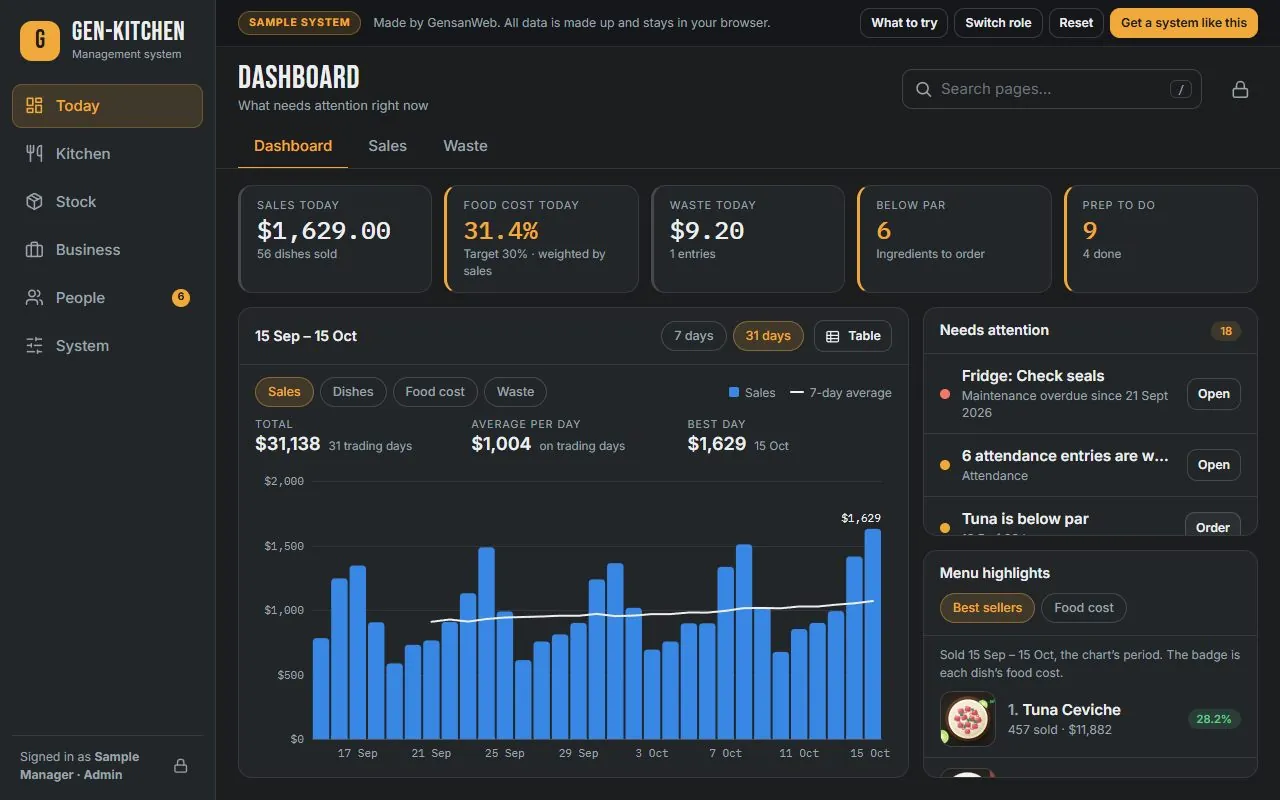
Everything you need to run the kitchen, in one system
Every part shares one database, so a sale updates your food cost, a delivery updates your stock, and approved hours flow straight into payroll. Nothing is typed twice.
Know how today is going before you walk in
The owner dashboard puts the numbers that matter on one screen, on your phone or the office computer.
- Today's sales, dishes sold, food cost and waste
- 7-day and 31-day charts for sales, dishes, food cost and waste
- Best sellers with the food cost of each
- A "Needs attention" list: low stock, hours to approve, late deliveries and overdue maintenance
See what every plate really costs you
Build each dish from its recipe once. The system keeps the cost up to date as your supplier prices change, so you know which dishes make money and which only look busy.
- Recipe cost per dish from your ingredient prices
- Food cost percentage checked against your target
- Yield tracking for fish, meat and produce after cleaning
- Menu with dish photos, prices and recipes in one place
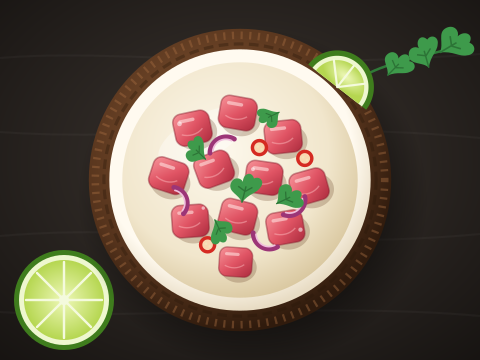 Tuna Ceviche
 Prawn Salad
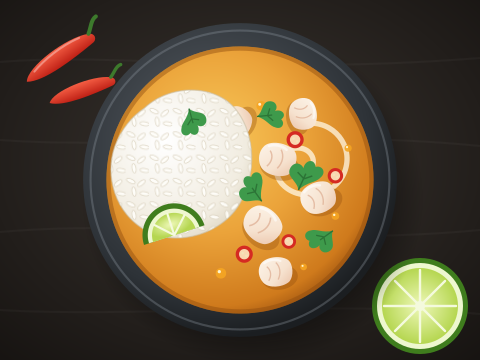 Island Curry
Never run out on a Saturday night again
Set a par level for each ingredient and the system tells you what to order before it runs out. Deliveries go straight into stock when you receive them.
- Stock levels with par levels and low-stock alerts
- Supplier list and purchase orders, received into stock in one step
- Stocktakes that show the difference from what the system expected
- Reports for consumables and fixed items like plates, glasses and equipment
From clock-in to payslip, without the spreadsheet
Staff clock in and out from a kitchen tablet or their own phone. You approve the hours, and pay is worked out from them, overtime included.
- Weekly staff schedules
- Clock in and out, with late and absent days marked
- Only hours you approve are paid
- Pay every 15 days or monthly, with printable payslips
- Regular pay, 96 h
- ₱7,680.00
- Overtime, 6 h
- ₱600.00
- Deductions
- −₱450.00
- Take-home pay
- ₱7,830.00
The small jobs it takes off your hands
Beyond the big four, these tools come with the system. You only pay for the ones your restaurant needs.
Prep lists
Tasks assigned to each cook, ticked off with who did it and when.
Waste log
Record what's thrown out and why, in pesos, so you can cut it.
Yield tracking
How much usable fish or meat you get per kilo, built into the cost.
Stocktakes
Count your stock and see every difference from what was expected.
Inventory reports
Stock movements, usage logs and fixed items like plates and glasses.
Operation cost
Rent, power, gas and other running costs next to your sales.
Equipment maintenance
Servicing dates for freezers, hoods and gas lines, so nothing is missed.
Staff schedules
Plan the week's shifts for the whole team on one screen.
Overtime rules
Set when overtime starts and its rate, and it's applied to every run.
Payslips for staff
Each employee sees and prints only their own payslips.
Staff accounts
Invite staff with a setup code. You decide who is a manager.
Dish photos
Add a photo to each dish so new staff know how it's plated.
Quick search
Find any dish, ingredient, supplier or employee in seconds.
Backups and exports
Your data is yours: back it up and export payroll to a spreadsheet.
Built-in manual
Step-by-step help inside the system, written for kitchen staff.
Live chat
Owner and staff messages in one place, not lost in group chats.
Live chat is part of the full system for your restaurant. The public demo shows every other tool. Need something that isn't here? Because it's built for you, we can add it.
You see everything. Your staff see only what's theirs.
Everyone signs in with their own account, so the people in the kitchen get what they need to work, and nothing they shouldn't see.
Owner or manager
The whole restaurant, from anywhere
- Sales, food cost, waste and operation costs
- Stock, supplier orders and stocktakes
- Every employee's schedule, attendance and pay
- Approving hours and running payroll
- Accounts, settings and backups
Kitchen staff
Just their own work, on a tablet or phone
- Their prep tasks for the day
- Clock in and out, and their own attendance
- Their own payslips
- A reminder when they haven't clocked in yet
- Never sees sales, food cost, stock or anyone else's pay
A custom system or a monthly POS subscription?
POS apps are great at the counter. Where many restaurants struggle is everything behind it: food cost, stock, staff and payroll. Here's an honest comparison.
| Subscription POS app | Custom restaurant system | |
|---|---|---|
| Best at | Taking orders and payments at the counter | Running the back of the house: food cost, stock, staff and payroll |
| How it fits your restaurant | You adjust to how the app works | Built around how your kitchen already works |
| Cost | Monthly fee per branch or device, for as long as you use it | Quoted once for the build, plus optional hosting and support |
| Changes and new features | Only what the provider adds | Added for your restaurant when you need them |
| Your data | Kept on the provider's platform | Your own database, which you can back up and export |
| Can they work together? | Yes. Many restaurants keep their POS for the counter and use a custom system for everything else. | |
Is a restaurant management system right for you?
- You track sales, stock or payroll in notebooks or spreadsheets
- You don't know your real food cost per dish
- Ingredients run out, or spoil because you over-order
- Computing staff hours and payslips takes you hours every cutoff
- Instructions to staff get lost in group chats
- You want to check your restaurant from your phone
- You run a restaurant, cafe, food stall, commissary or cloud kitchen
- You're opening a second branch and need one view of both
From first call to your team using it
Free consultation
Tell us how your restaurant runs today: your menu, suppliers, staff and pay schedule. Try the demo together.
Written quote
You get a clear quote for the modules you need. Nothing starts until you agree.
Set up with your data
We load your menu, recipes, ingredients, suppliers and staff, so the system is ready on day one.
Training and support
We train you and your team online, then stay on hand for changes and new features as you grow.
Free guide: how to compute food cost
Food cost is the number that decides whether a restaurant makes money. Our guide shows the formula with peso examples, how to price a dish from it, and how to compute your monthly food cost. Read the food cost guide →
Restaurant management system FAQs
It doesn't have to. Most POS apps are built for the cashier: taking orders and payments. This system runs the back of the house: food cost, stock, staff, attendance and payroll. It can work alongside the POS you already use, and daily sales can be entered or brought in from your POS reports. If you want a counter POS built in as well, we can include it.
Yes. The live demo is open to everyone with no sign-up. You can explore it as the manager, who sees everything, or as kitchen staff, who only see their own tasks, hours and payslips. The demo uses made-up data that stays in your browser.
No. Each employee signs in with their own account and only sees their own schedule, attendance and payslips. Sales figures, food cost and other people's pay are only visible to the owner or manager.
Yes. It runs in the browser on phones, tablets and computers, so staff can clock in from a tablet in the kitchen and the owner can check sales from their phone. There is nothing to install.
It is quoted per restaurant, because the price depends on the modules you need and how many branches and staff you have. After a free consultation you get a written quote before any work starts. Many restaurants start with the core modules, such as sales, food cost and inventory, and add attendance, payroll and chat later.
Yes, it can be built for several branches, with each branch's sales, stock and staff kept separate and a combined view for the owner. Tell us how your branches work during the consultation.
Yes. We work with restaurants anywhere in the Philippines. Planning, demos, setup and staff training all happen online.
See if it fits your restaurant
Try the demo, then tell us how your kitchen runs. We'll tell you honestly which modules you need, and which you don't.